Stories
Stories that drive your mission, and your fundraising.
Post updates from the field, even with no signal. Donors give to the ones that move them, and it all syncs to your records.
 iPhone
 AndroidWorks offline
From the field to your donors
Impact stories used to take weeks, even months, to reach donors.
The best proof of your work happens far from a desk. Givable gets it from the people on the ground to the people who fund it, without the wait.
The old way
- Photos sit on a phone until someone finds a signal.
- Details and consent get chased over email and chat.
- Edits and sign-off bounce between the field and HQ.
- By the time it is approved, the moment has passed.
With Givable Stories
- Staff capture the update on a Givable form, even offline.
- It syncs on its own the moment the phone reconnects.
- Your team reviews and approves it inside Givable.
- It publishes to supporters as soon as it is approved.
How it works
One update, from a phone to a gift.
Every step happens in Givable, so nothing gets lost between tools.
- 1CapturePhotos, video, and details on a Givable form, with consent.
- 2SyncSaved on the phone and sent when there is a connection.
- 3ReviewYour approval process, down to each photo.
- 4PublishTo your feed, supporter portal, and website.
- 5GiveSupporters give to the story, and it lands in their record.
Offline-first mobile app
Works wherever your staff do.
The storyteller app is built for the most remote places your work reaches. Capture everything with no signal, and Givable syncs it the moment the phone reconnects.
- Capture updates, photos, and form answers fully offline.
- Sends on its own when a connection returns, without losing work.
- Waits for Wi-Fi by default, with smaller photos over mobile data.
- In English, Spanish, and French.
For iPhoneFor Android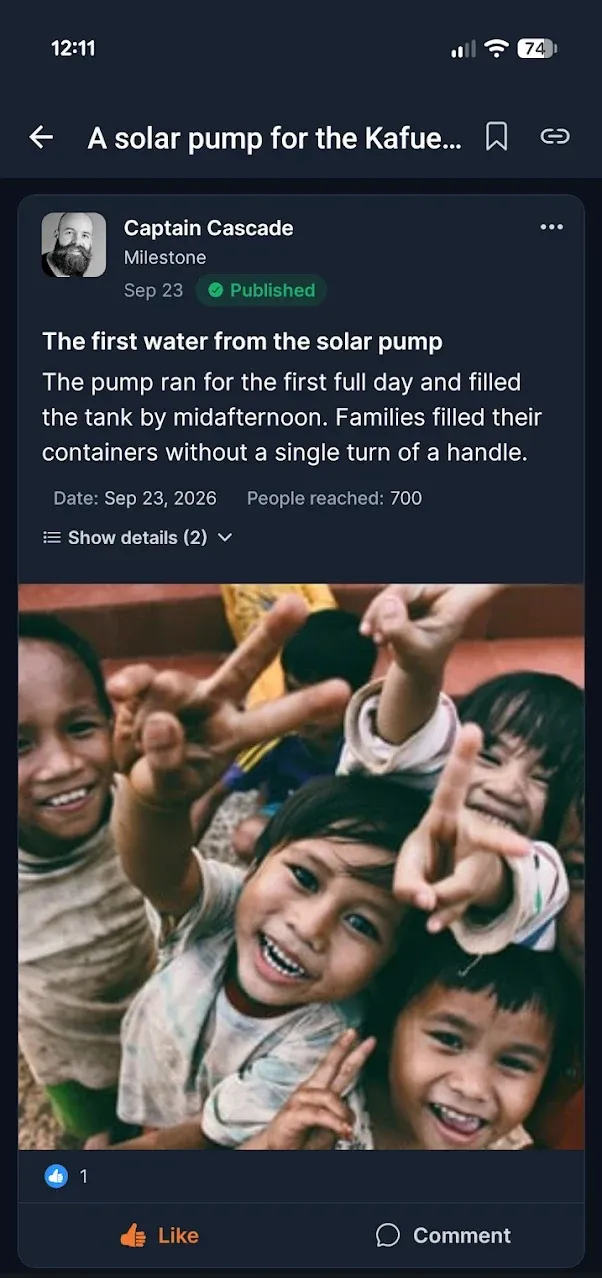
Capture updates from anywhere in the world.
Sample locations for illustration.
Every kind of update, captured on a Givable form.
Use the Updates form template, or build your own fields.
Built for sensitive places
Protect the people doing the work.
Security for field staff, and for the people in their photos, wherever the work takes them.
Locked and encrypted
A PIN or face and fingerprint unlock, with everything on the phone stored encrypted.
Ready for the worst case
If a phone falls into the wrong hands, the data on it can be hidden or removed, and your admins are alerted.
Remote sign-out and auto-wipe
Sign out a lost phone from Givable, and clear devices that stay offline too long.
Faces blurred on the phone
Blur faces before a photo ever leaves the device, or require a check on every photo.
Locations protected
Photo GPS is stripped, location can be approximate or off, and sensitive sites stay off the map.
Consent before capture
Record spoken, signed, or guardian consent in the app, and honor it if it is withdrawn.
Review and approvals
Fast to publish, never unchecked.
Field updates come in as Givable Forms submissions and follow your approval process before anyone outside your team sees them.
- One or more review steps, with conditions.
- Approve on the web or right in the app.
- Every photo, video, and recording reviewed on its own.
- Storytellers hear when an update is approved or needs changes.
From impact to the next gift
Show donors what their gift made possible.
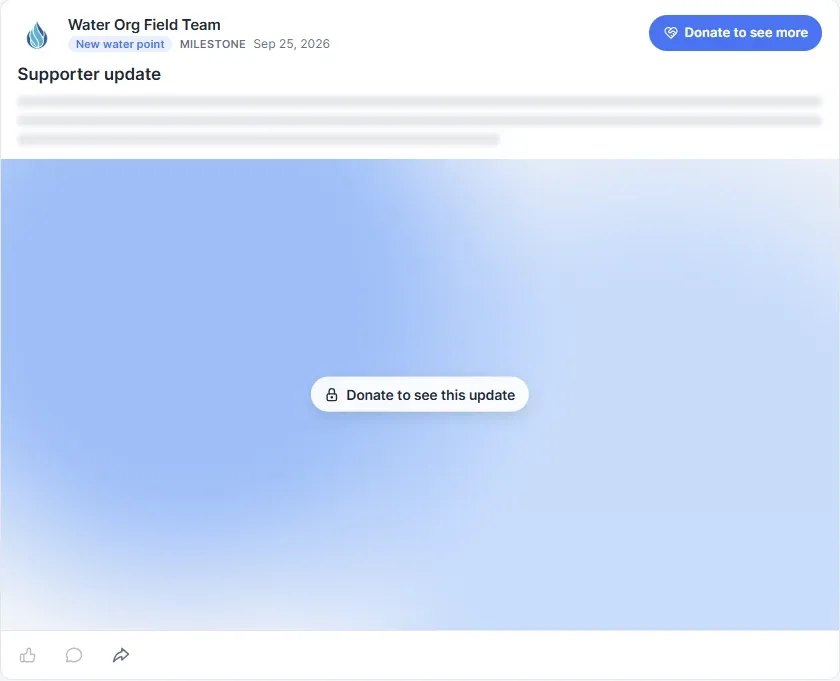
Donors who see their impact give again. Stories close the loop from the field to the donor, then invite the next gift right where the story is told.
Where supporters see it
Build a following, not just a list.
Giving tied to real updates turns one-time donors into supporters who come back for the next chapter.
On your website
Drop in a story grid, a latest-updates feed, or a story card with a Support this story button.
In the supporter portal
Updates appear as posts with photos and video. Supporters like and comment, with moderation.
Shared anywhere
Share links send supporters straight to a story or update, from email, text, or social.
Built-in media library
Every photo from the field, ready to reuse.
Story photos and video land in Givable's digital asset management library, with the consent each person gave. Use them across your fundraising without re-uploading.
- Folders, collections, tags, and search.
- Versions, review, and a record of where each file is used.
- Supporters-only media can never be made public.
Stories questions
Does the storyteller app work without a connection?
Yes. Staff can capture updates, photos, and form answers with no signal. Everything is saved encrypted on the phone and sends automatically when the phone reconnects. Uploads wait for Wi-Fi by default, with an option to send over mobile data.
Which phones does it run on?
The storyteller app runs on iPhone and Android phones, in English, Spanish, and French.
How does Givable protect field staff in sensitive locations?
The app locks with a PIN or biometrics, encrypts everything on the phone, strips location from photos, and can blur faces on the device. Admins can sign out a lost phone remotely, auto-wipe phones that stay offline too long, and data on a phone that falls into the wrong hands can be hidden or removed, with your admins alerted.
Can updates be reviewed before donors see them?
Yes. Set up an approval process for updates, with one or more steps and conditions. Reviewers approve on the web or in the app, each photo and video is reviewed too, and storytellers are notified when an update is approved or needs changes.
How do stories help donors see their impact and give again?
Updates from the field show supporters what their gifts made possible, in the supporter portal and on your website. Each story can carry a Support this story button with a goal and progress bar, and you can keep some updates for supporters only, so everyone else sees a preview and an invitation to give. Every gift is credited to the story and recorded on the donor.
Where do supporters see stories?
In the supporter portal, and on your own website through a story grid, a latest-updates feed, or a story card with a Support this story button that credits the gift to the story.
Can we reuse story photos and video elsewhere?
Yes. Story media lands in the Givable media library, where you can use it in emails, landing pages, Giving Forms, receipts, and text messages. Media a person agreed to share with supporters only cannot be made public.
Explore more of the platform
Guides for your team
Nonprofit storytelling: why the best stories out-raise the best asks
Learn how to turn real moments of impact into donor-centered fundraising stories that build trust, inspire action, and strengthen retention.
Recurring givingFrom one-time to monthly: story-driven recurring giving that sticks
Recurring giving grows when donors can see the ongoing impact their monthly support makes. Here is how to build that experience.
Year-end fundraisingThe 2026 Year-End Fundraising Guide for Nonprofits
Plan a stronger 2026 year-end campaign with a week-by-week strategy for messaging, GivingTuesday, donation forms, stewardship, and retention.
Bring Stories to your nonprofit.
See how field updates reach your donors, on your own data.
The Android robot is reproduced or modified from work created and shared by Google and used according to terms described in the Creative Commons 3.0 Attribution License.