Peer-to-Peer
Your supporters raise for you.
Give every supporter their own page, let them team up, and watch every gift land in your donor CRM.
Getting started
Three ways in, one simple sign-up.
Supporters choose how they want to take part, give their name and email, and their page is ready. No account to set up first.
Fundraise on their own
A personal page with their own goal and their own reason for taking part.
Start a team
Become a captain, invite friends or coworkers, and raise together.
Join a team
Pick a team that’s open, or follow a captain’s invite link.
Want to set someone up yourself? Create their page, and they review it and publish it when they’re ready.
Their page
Their story, in your colors.
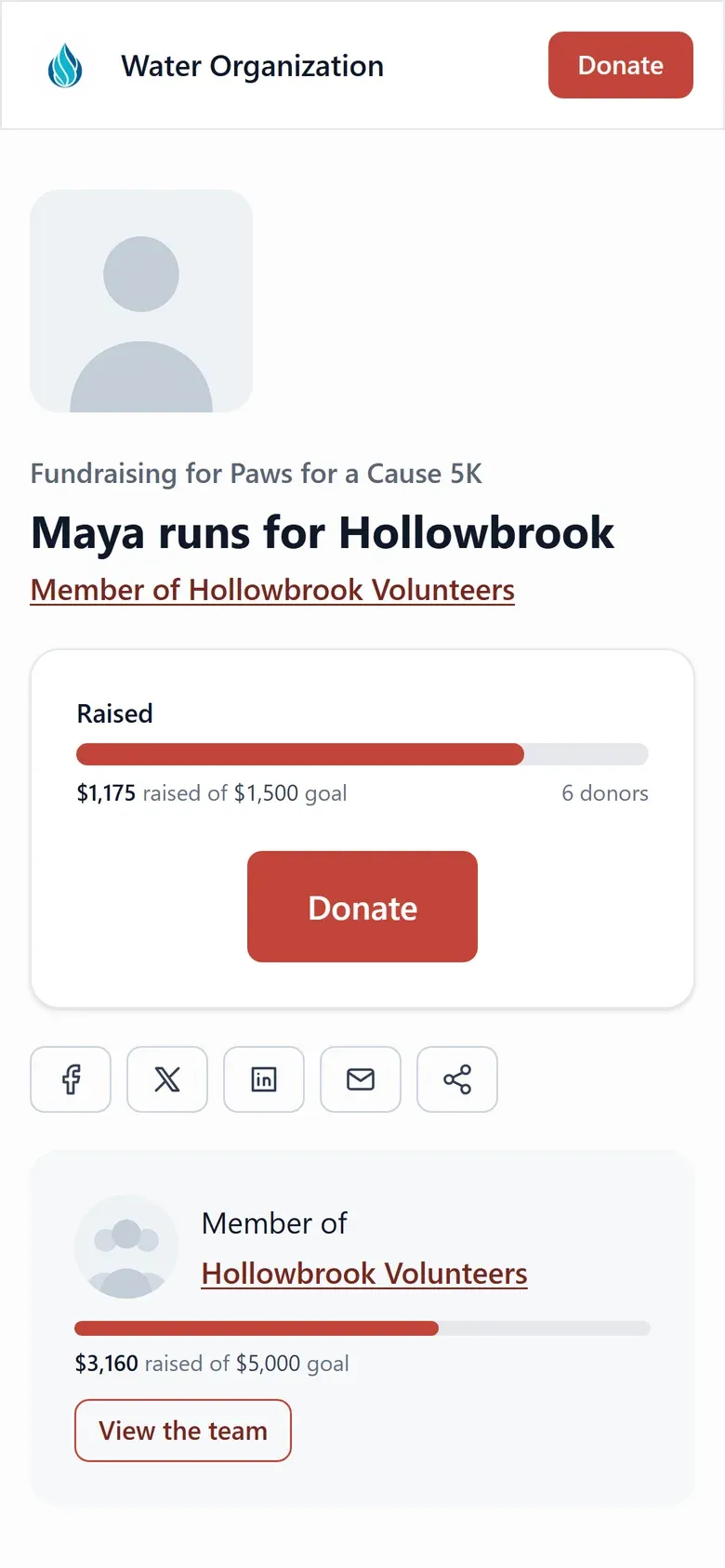
Every page wears your campaign’s brand. Fundraisers tell their own story and keep their supporters in the loop, from their supporter portal.
- Edit their story, goal, and page name.
- Post updates to everyone who gave.
- Share to social, email, or a copied link.
- See who gave, and how close they are.
Teams and leaderboards
A little friendly competition.
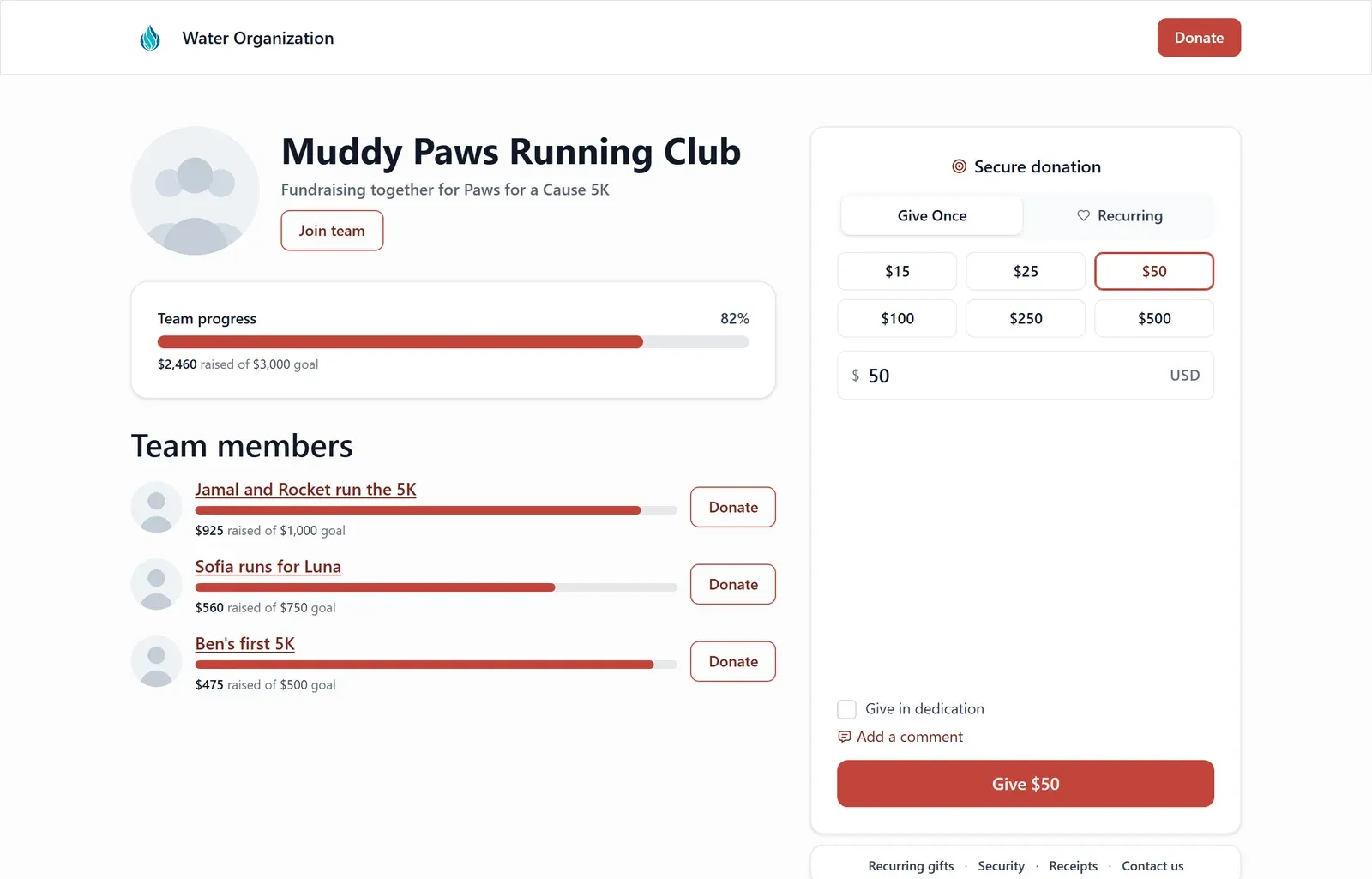
Running clubs, offices, and families raise more together. Teams give them a shared goal, and leaderboards give them a reason to share one more time.
Captains run their team
Share an invite link, and choose who can join: anyone, invite only, or nobody.
Leaderboards
Rank top fundraisers and teams by amount raised, or by influence: who brought the most people in.
Nothing counted twice
A team total includes its members’ gifts, and each member’s page shows only their own.
Stay in control
Every page carries your name. Review it first.
Set your rules once: who can start a page, goal limits, teams, and what fundraisers may change. Then approve new pages before they go live.
- Approve, or reject with a note the fundraiser sees.
- Let a volunteer review pages without touching settings.
- Pages go live only after the fundraiser accepts your disclosure.
- Pages that raised money are kept with your records.
On your website
Put the leaderboard on your own site.
Drop any part of a campaign onto any page you already have. Sign-up opens right on your site, and everything updates within a minute.
One record
Every gift flows back to you.
Peer-to-peer gifts use the same checkout as your giving forms and land in the same donor CRM, credited to the fundraiser, the team, and the campaign.
- Raised, gifts, teams, fundraisers, and donors at a glance.
- See which shares brought visits and gifts.
- Totals add up in your currency; refunds don’t count.
Peer-to-peer questions
How do supporters start fundraising?
From your campaign’s start page, they choose to fundraise on their own, start a team, or join a team, then give their name and email. Captains can also invite people with a link, and you can create a page for someone, which stays private until they review it and accept the disclosure.
Can I review pages before they go live?
Yes. Turn on review and new pages wait for approval. You can approve, reject with a reason the fundraiser sees, or archive. Moderating is its own permission, so a volunteer coordinator can review pages without access to your settings.
What can fundraisers change on their page?
Depending on your settings, they can edit their page name, goal, and story, post updates to their supporters, extend their end date, and see who has supported them. They can’t change the campaign or the design.
Do teams double count gifts?
No. A team’s total includes its members’ gifts, while each member’s own page shows only theirs.
Can I show a leaderboard on my own website?
Yes. Embed blocks put a leaderboard, a team roster, a team’s members, recent supporters, or a sign-up on any page of your site, each in a choice of layouts, and they update within a minute.
What happens to a page that has raised money?
It’s kept. Once a page has gifts, it can’t be deleted or archived, because those gifts are part of your records. You can unpublish it instead, and publish it again later.
Turn your supporters into fundraisers.
Book a demo and we’ll set up your first peer-to-peer campaign together.