Giving Forms
Donation forms that convert.
Fast, on-brand giving forms that ask for less, offer every way to pay, and turn one gift into many.
PCI-compliant payments via Stripe
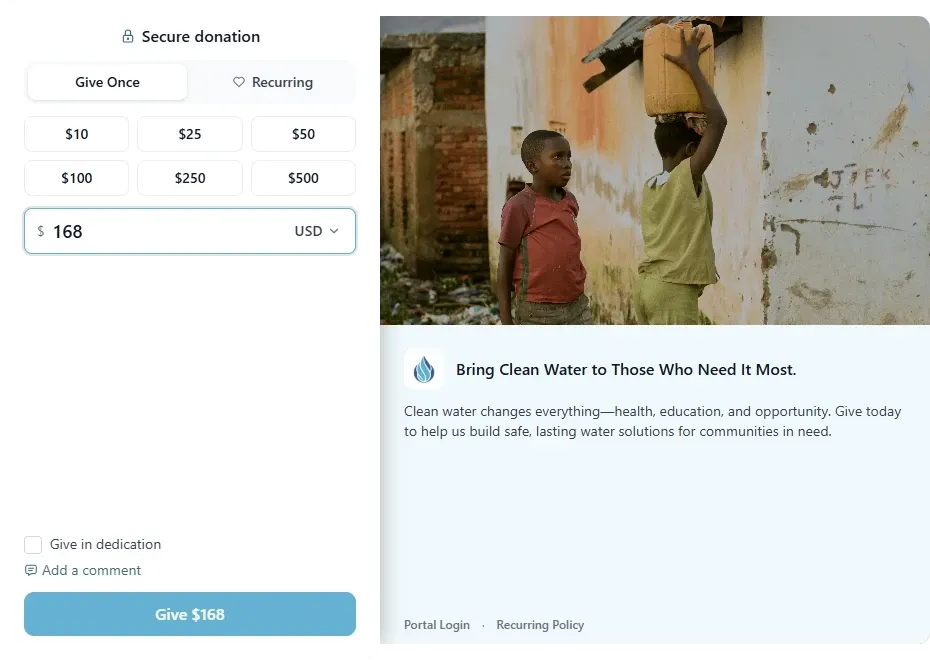
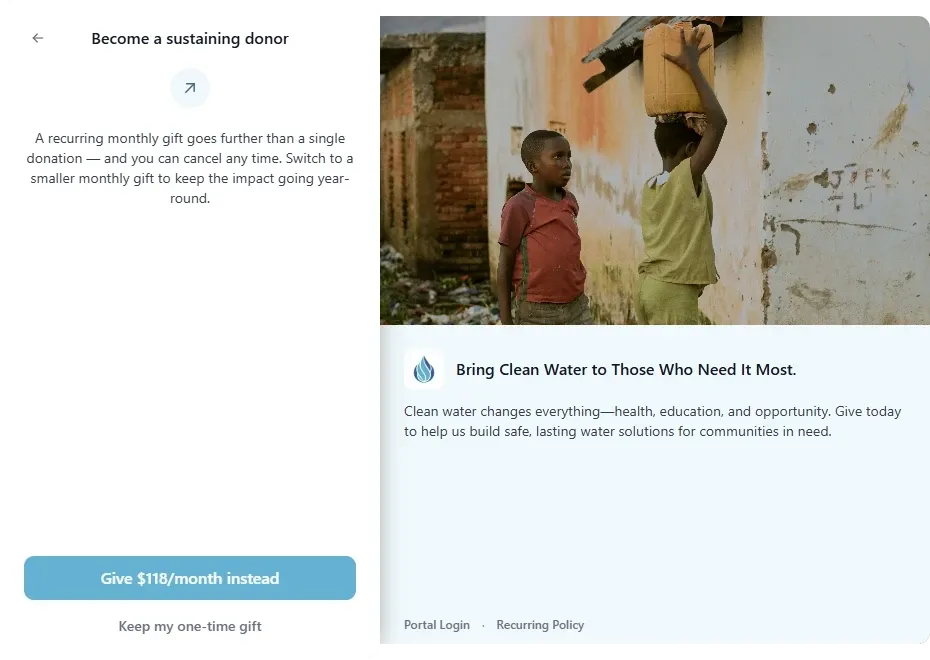
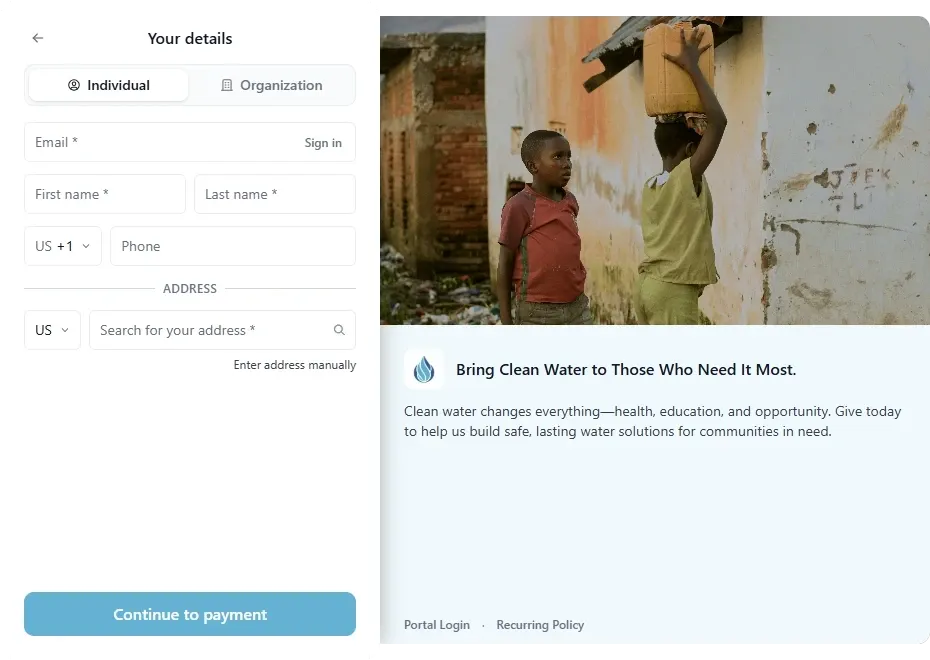
Built to convert
Any wallet, any currency.
Fewer reasons to abandon the gift: the wallet already on their phone, and the currency they think in.























The donor’s path
Every step earns the next one.
Stepped or on a single page, the form asks only what it needs, in the order donors decide.
- 1AmountYour amounts, or amounts recommended for each visit.
- 2UpsellOne-time donors are invited to give monthly instead.
- 3DonorName and email, then only what you need.
- 4PaymentWallets, cards, PayPal, Venmo, or bank, in their currency.
- 5Thank youSay thanks, or send donors to your own page.
Optional steps: a matching-gift lookup with Double the Donation, and your own questions, before or after payment.
Grow every gift
Turn one gift into more.
Invite one-time donors to give monthly instead, check for a company match, and show the momentum behind your cause.
- Recommended amounts, tailored to each visit and only ever raised from yours.
- A monthly suggestion sized to each one-time amount.
- Weekly to annual giving, with a portal donors manage themselves.
- Matching-gift lookup via Double the Donation.
- A goal thermometer, donor count, and recent gifts on the form.
Ask only what you need
Short forms, complete records.
Name and email are always collected. Everything else is your choice, so donors only fill in what you’ll use.
- Individuals and organizations on the same form.
- Returning donors sign in to fill in their details.
- Address only when you need it, for example for receipts by post.
Yours to shape
On brand, no code.
Set the image or video, logo, colors, message, and questions in a visual builder with a live preview.
- Your image, video, logo, and colors.
- Custom questions, best placed after payment.
- Share a hosted link or embed it on your site.
Put it anywhere
Giving on every page, not just one.
Add a donate button, a pop-up, or a full form to your own site, and donors give without leaving it. Each block has its own look and its own numbers.
- A hosted page, on your own domain.
- A WordPress plugin, with Drupal and more coming soon.
- Pop-ups that never fire on page load.
- Text-to-give keywords.
Ways to give
- Donation button
- Form modal
- Sticky button
- Simple form
- Giving card
- Amount buttons
- Impact slider
Show momentum
- Goal thermometer
- Recent donations
- Donor wall
- Top supporters
Prompt
- Message bar
- Pop-up
- Reminder
Form insights
Know what’s working, and what isn’t.
Every form has its own results: what it raised, who gave, and every visit, including the ones that didn’t finish. Lots of visits and few gifts points at the form; few visits points at your promotion.
- Total raised, gifts, average gift, recurring share, and supporters.
- Visits and conversion for the form, and for every link, block, and QR code.
- A live map of who’s on the form right now, by country only.
- Send events to Google Tag Manager for the tools you already use.
The details
The details that make giving easier.
Faster checkout for returning donors
Donors can sign in so their details fill in and they can pay with a saved card.
Fraud and bot protection
A captcha stops card-testing bots, and you can block gifts by country, IP address, network, referrer, or device.
Tracked links and QR codes
Preset the fund, amount, and frequency in a link or QR code, then see which ones bring in gifts.
Safe to edit
Work in a draft, publish when you’re ready, roll back with version history, and try it with a test card.
Give in dedication
Donors can give in honor of someone, let them know by email, and add a personal message.
Anonymous giving and consent
Donors can choose to give anonymously, and you can add a GDPR consent checkbox where you need one.
Giving Forms questions
Do giving forms support Apple Pay and Google Pay?
Yes. On phones, Apple Pay and Google Pay can appear at the top of the form so a donor pays in one tap and their wallet fills in their details. Cards, bank transfer, and, once connected, PayPal and Venmo are on the payment step.
How do recommended amounts work?
Givable can suggest gift amounts for each visit to your form, based on the visit, such as the device, time of day, how the donor arrived, and their general area, plus past gifts to your organization if they’re signed in. Amounts are only ever raised from the ones you set, your lowest amount always shows, and donors can enter any amount. Donors who send a Global Privacy Control or Do Not Track signal see your standard amounts. Recommended amounts are available for donors in the United States.
Can donors cover the processing fees?
Yes. You choose whether to offer it, the wording, whether it starts ticked, and the percentage and fixed amount for each payment method, with an optional maximum.
Can donors give in their own currency?
Yes. Each form has a default currency, the other currencies it accepts, and whether donors can switch.
Can I see how each form is performing?
Yes. Each form shows its total raised, gifts, average gift, and recurring share, plus every visit, including ones that didn’t finish. Every tracked link, embedded block, and QR code shows its own visits, gifts, and conversion.
Can I put a giving form on my own website?
Yes. Share the hosted link, or embed the form on your site. Every gift writes to the same donor record either way.
Guides for your team
Donation forms your donors actually finish: a conversion guide for nonprofits
A practical guide to reducing donation-form friction, improving mobile giving, and helping more motivated supporters complete their gifts.
GeneralYour mission isn't a template: custom fields and objects on your donation forms
Donation forms that almost fit cost you data. See how custom fields and no-code custom objects capture what your mission runs on, without a developer.
Year-end fundraisingThe 2026 Year-End Fundraising Guide for Nonprofits
Plan a stronger 2026 year-end campaign with a week-by-week strategy for messaging, GivingTuesday, donation forms, stewardship, and retention.